Beyond the inbox

One platform behind every conversation, post and payment.

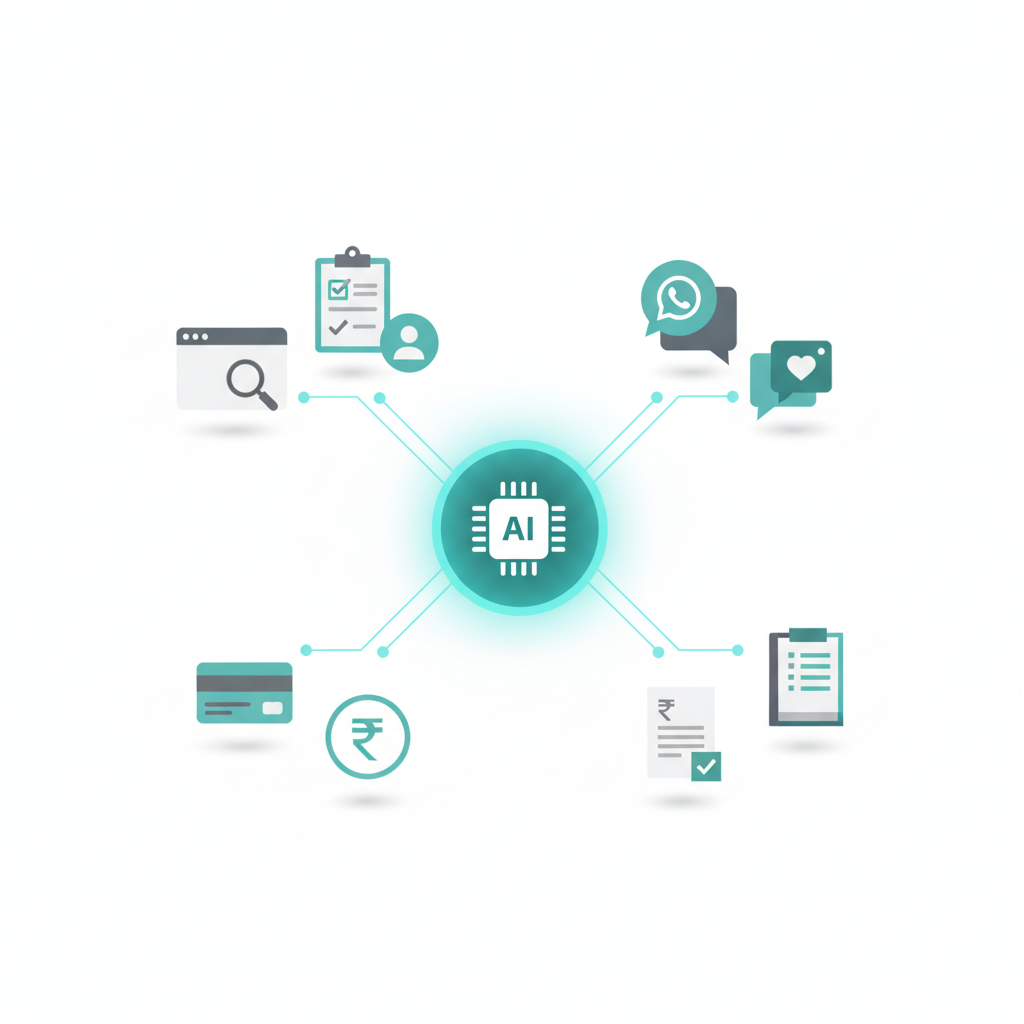
Channel Desk started as a shared WhatsApp + Instagram + Messenger inbox. It's the front door to a wider, AI-powered platform El Domo runs for its own businesses and a small group of invited customers — websites, communications and payments, all wired up and talking to each other: one login, one data store, one team.

Websites, communications and payments all connected through one AI-powered platform
Why "wired together"

Three drawers, one customer.

You already have a website, a WhatsApp number and an accountant. That's not the problem. The problem is that none of them can see each other.

Drawer 1 — Website

Her enquiry landed in a contact-form inbox nobody's opened since Tuesday.

Drawer 2 — WhatsApp

She agreed a price and sent an advance, right there in the chat.

Drawer 3 — Accountant

The invoice is still waiting — nobody told them the payment came in.

Three drawers, one customer, and nobody in the business who can open all three at once. That's not one lost lead — it's a small gap in every deal, every week. Channel Desk's job isn't just the inbox: it's putting the enquiry, the conversation and the invoice behind one door.

Websites

Design, development and hosting — but the point of the site isn't to look good, it's to bring in customers. Every site we build is judged on leads, cost per lead and revenue, not just pageviews.

Design & development Live

Fast, modern sites built and shipped in-house — already live for The Dome Retreats, Digital Patra, Apex Multispecialty Clinic, Weaves by Advaya and AuraGlow Bengaluru, each in a different industry.

Hosting, uptime & updates Live

Enterprise-grade hosting with no server to babysit — changes go live in minutes, not days, and there's no "the site is down" phone call at 3am.

Lead capture, not just a brochure Live

Every enquiry, booking or form fill lands on WhatsApp with the right staff member alerted immediately — nothing sits unread in an inbox or gets missed on a paper slip.

Hotspots & a feedback loop to marketing Live

Analytics and session heatmaps show exactly where people click, scroll and drop off, feeding straight back into what marketing spends on — the goal is more leads, lower cost per lead, and more revenue, not a nicer-looking page.

The Channel Desk inbox app

The full catalogue of what the app does today, grouped the way it appears in the product. Anything not yet shipped is marked “coming soon”.

Channels

Every channel a business connects lands on the same conversation spine — one contact, one chat history, one team.

WhatsApp Business (Cloud API) Live

Connect your own number through Meta’s Embedded Signup; receive and reply to messages, media and voice notes, send approved templates, interactive buttons and lists, and see delivery ticks.

Instagram DMs & comments Live

Connect a professional account with Instagram Login. DMs and post comments arrive as threads; reply publicly to comments or privately in DMs, with spam hiding and token-expiry warnings.

Facebook Messenger Live

Connect a Facebook Page and answer Messenger conversations from the inbox — text and media, the 24-hour window, and a human-agent reply option after it closes.

Facebook Page comments Coming soon

Comments on Page posts in the same inbox.

Instagram publishing & reach Coming soon

Scheduling posts and viewing reach/engagement from inside the inbox.

Inbox & triage

A WhatsApp-Web-style three-pane inbox that works on a phone, built for a team rather than one person.

Unified inbox Live

All channels in one list with channel filters (All / WhatsApp / Instagram / Messenger), search across names, numbers, handles and message text, and realtime updates.

Views & filters Live

Open, Mine, Unassigned, Closed and Archived views, label chips, number filter, and badges for VIP, opted-out, AI-active, hand-off and reopened chats.

Assignment Live

Assign a chat, auto-assign to the next available agent or team, “pick up” from the unassigned queue, and see who is online.

Chat controls Live

Labels, VIP, mute, close / reopen / archive, private internal notes, canned responses with variables, and custom actions that call your own systems.

Contact profile Live

Name, phone, tags, internal and marketing opt-out toggles, custom fields, chat properties, open tickets and a “new ticket” shortcut beside every conversation.

24-hour window Live

The composer shows the messaging window for each channel and switches to approved templates (WhatsApp) or human-agent replies (Instagram, Messenger) when it closes.

AI triage Live

Recent conversations are classified for intent, sentiment and tier, tagged on the contact and listed on a Triage board; tier-3 items (complaints, refunds) open a ticket and notify staff.

AI & automation

AI does the first pass; people stay in control with caps, hand-off and an audit trail.

AI agent per chat Live

Staff activate the assistant on a chat (or run it in auto mode with a confirmation). It replies from your knowledge base with per-chat and daily reply caps, VIP / internal exclusions, and a hand-off summary when a human takes over. Drafts on demand from the composer.

Knowledge base Live

FAQ entries and documents, chunked and embedded for semantic search, bulk import from Q&A text or CSV, archive / restore, and an approval queue for AI-proposed answers.

Keyword rules Live

Exact, contains, starts-with, word or regex matches with business-hours and first-message conditions, answering with text, templates, interactive messages, media, a flow or a transfer.

Automations Live

Trigger-based rules (keywords, replies, tags, assignments, schedules) with ordered steps, yes/no branches and a run log.

Guided flows Live

Multi-step conversation flows with a visual builder, starter templates, fallback policies and validation.

AI tools & usage Live

Tool definitions the agent can call, an invocation log, and a 30-day usage view by day and mode.

Sales & ops modules

The parts of a CRM and help desk that a small team actually uses, attached to the chat instead of a separate tool.

Tickets Live

Ticket codes, status, priority, assignee and SLA targets (breached / due soon), comments and a full event history; AI-proposed tickets from conversations can be accepted in one click.

Contacts Live

Searchable directory with tags, internal and opt-out flags, CSV import with validation, CSV export, and duplicate detection and merge.

Companies Live

Company records that link contacts and opportunities, with notes.

Opportunities Live

A kanban board and list of deals linked to companies and contacts.

Team Live

Members and roles, teams, pending invites, the unassigned queue, availability toggle and presence, and notifications with deep links.

Broadcast

Approved WhatsApp templates at scale, without tripping Meta’s limits.

Templates Live

Create, sync from Meta, submit and preview WhatsApp message templates with header media, body variables and buttons.

Broadcast wizard Live

Pick a template, choose the audience by tag, filter, hand-picked contacts or CSV, preview the estimated cost and send now or schedule.

Delivery tracking Live

Per-recipient status, funnel and cost on each broadcast, with pause, resume and cancel; sends are queued with priorities and rate limits.

Insights

Simple numbers, not a BI tool.

Message costs & broadcast summary Live

Daily message-cost and broadcast summaries with inline charts.

Meta analytics Live

Conversation and template analytics pulled from Meta for the connected numbers.

Team response time Live

First-response-time distribution across recent chats.

Admin & security

Built for several businesses on one deployment, each with its own data.

Multi-organisation & roles Live

Every business is an organisation with its own members; agent, manager, admin and super-admin roles gate what each person can see and change.

Settings Live

Business hours (per organisation and per number), SLA policy, canned responses, custom actions, numbers and channels.

API keys & webhooks Live

Create and revoke API keys, register signed webhook endpoints with delivery logs and test pings, and connect an MCP client.

Audit log Live

Who changed what, with before/after views, for settings, agent modes and other sensitive changes.

Data isolation Live

Row-level security keeps each organisation’s data separate; channel tokens live in a secrets vault and never pass through the UI; every inbound webhook is signature-checked and stored.

Payments & billing

Payment collection, payouts and accounting already run across El Domo's businesses today — the work in progress is bringing them into Channel Desk as one connected, AI-powered layer instead of separate tools per business.

Payment gateway — payin Live

Collecting payments from customers today across El Domo's businesses — UPI, cards and netbanking. Bringing payment links and status into the chat itself, so a payment shows up in the same conversation it was requested in, is next.

Payment gateway — payout Live

Vendor payments, refunds and disbursals already run through bank/gateway integrations today. Moving routine payouts into Channel Desk with an approval step and a full audit trail is next.

Billing & accounting app Live

Books are already kept and reconciled today. The next layer is AI-assisted invoicing, expense capture and automatic reconciliation against payin/payout records, so books stay audit-ready without manual entry.

One ledger, every business Live

Already running for one El Domo business — a single connected ledger view instead of siloed books. Rolling that same connected view out across every business, inside Channel Desk itself, is next.

Built the same way as everything else

No separate vendor, no separate login. Communications and payments live on the same infrastructure Channel Desk already runs on — see Data & privacy for how that's secured.